
The Uttar Pradesh Madhyamik Shiksha Parishad (UPMSP) releases Class 10 and Class 12 results every year on its official website. Students often feel confused about how to check their results online. If you are one of them, don’t worry. This article will guide you step-by-step on how to check your UP Board result quickly and easily using the official website.
What is upresults.nic.in?
The website is the official result portal of UP Board where students can check their Class 10th (High School) and Class 12th (Intermediate) results. It is safe, reliable, and directly managed by the board, so you should always prefer this site over any third-party platforms.

Step-by-Step Process to Check UP Board Result
Checking your result is very simple. Just follow these steps carefully:
1. Visit the Official Website
Open your browser and go to upresults.nic.in.
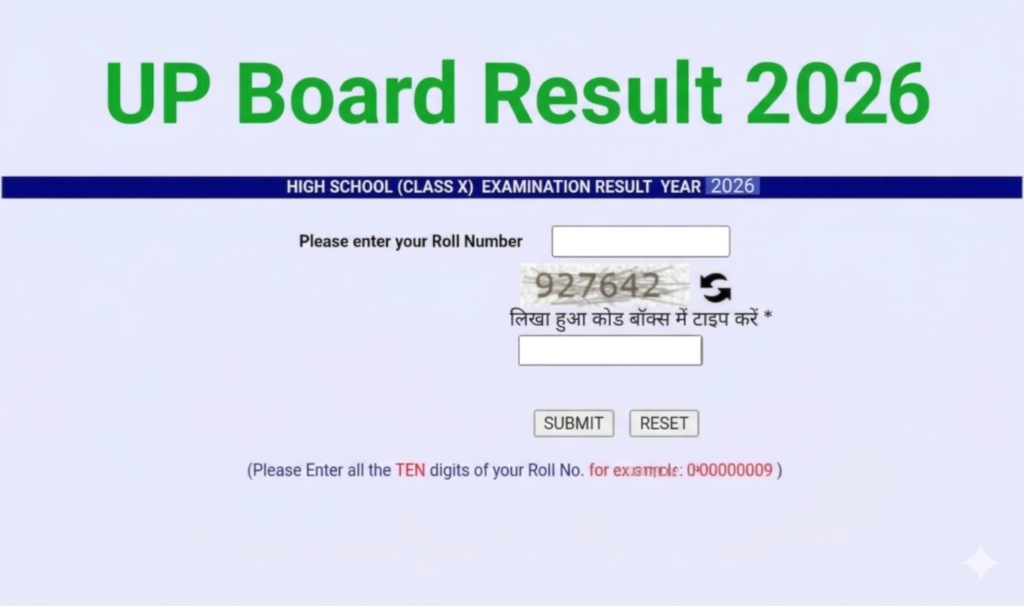
2. Select Your Class
On the homepage, you will see links like:
- UP Board High School (Class 10) Result
- UP Board Intermediate (Class 12) Result
Click on the link according to your class.
3. Enter Your Details
Now you will be asked to enter:
- Roll Number
- School Code (if required)
Make sure you enter the correct details.
4. Submit the Information
Click on the “Submit” button.
5. View Your Result
Your result will appear on the screen. You can check your marks, subject-wise scores, and overall result.
6. Print
It is recommended to download or take a printout of your result for future reference.
Important Tips While Checking Result
- Always keep your roll number ready before checking the result.
- Use a stable internet connection to avoid loading issues.
- If the website is slow due to heavy traffic, try again after some time.
- Double-check your details before submitting.
What to Do After Checking the Result?
After checking your result, here are a few important steps:
- Take a Printout: This online result is provisional, but it can be used temporarily.
- Collect Original Marksheet: Visit your school later to collect the official marksheet.
- Apply for Rechecking (if needed): If you are not satisfied with your marks, you can apply for re-evaluation.
- Plan Your Next Step: Choose your stream or career path based on your marks and interest.
Alternative Ways to Check Result
Apart from upresults.nic.in, students can also check results through:
- SMS services (if provided by UP Board)
- Other official partner websites
However, always verify your result from the official site for accuracy.
Conclusion
Checking your UP Board result online is now easier than ever. By using the official website upresults.nic.in and following the simple steps mentioned above, you can access your result within minutes. Stay calm, keep your details ready, and check your result without any confusion.